Start from the history you already have
Paddock opens on Discover: it reads the Claude Code history already on your machine, lists the directories you have been working in, and turns the ones you tick into projects — conversations and all. Nothing to clone, and nothing written into your directories.
Every chat belongs to a project
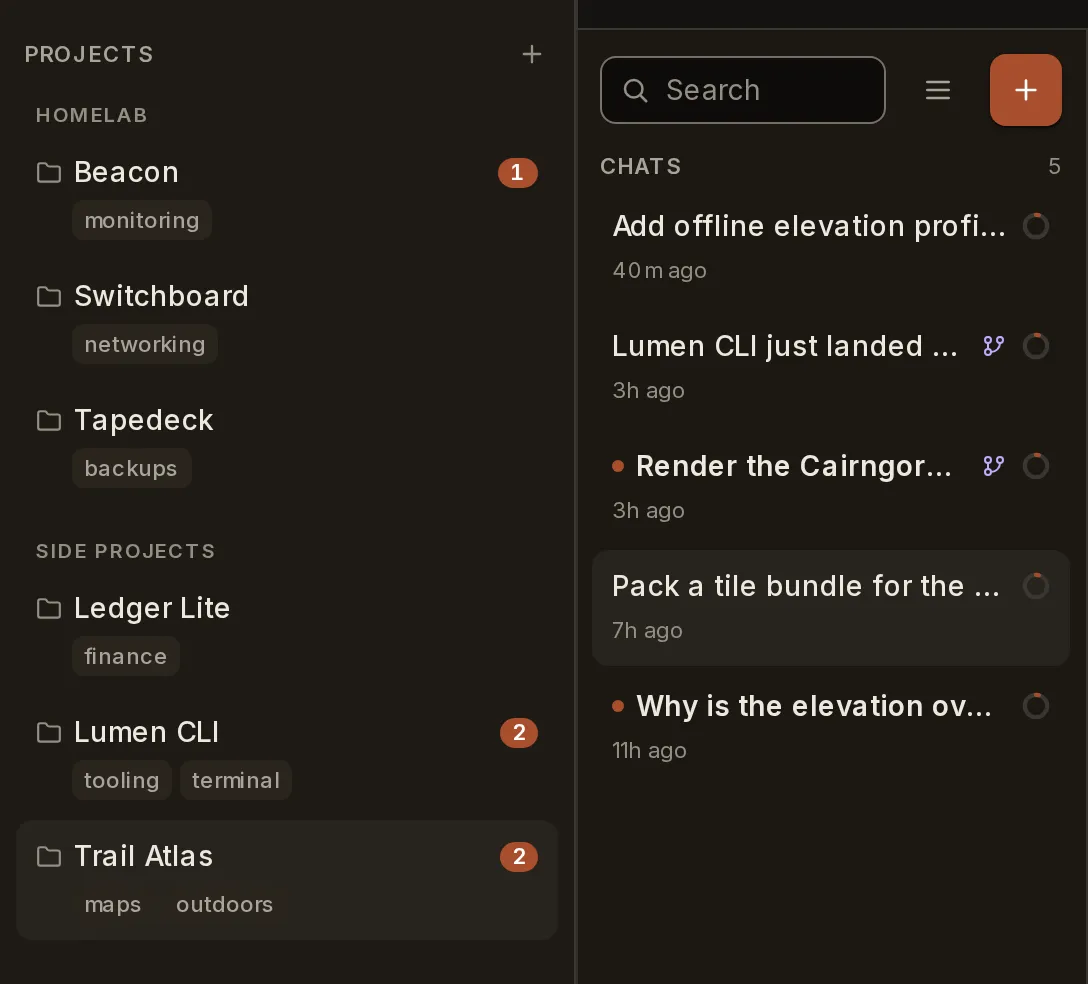
A project is just a directory — a codebase, a research notebook, a home-ops runbook — and Paddock runs Claude Code in it. Projects sit in the rail, in whatever groups you give them, each carrying its own unread count. Pick one and you get its chats, and only its chats.
Point a project at a git repo
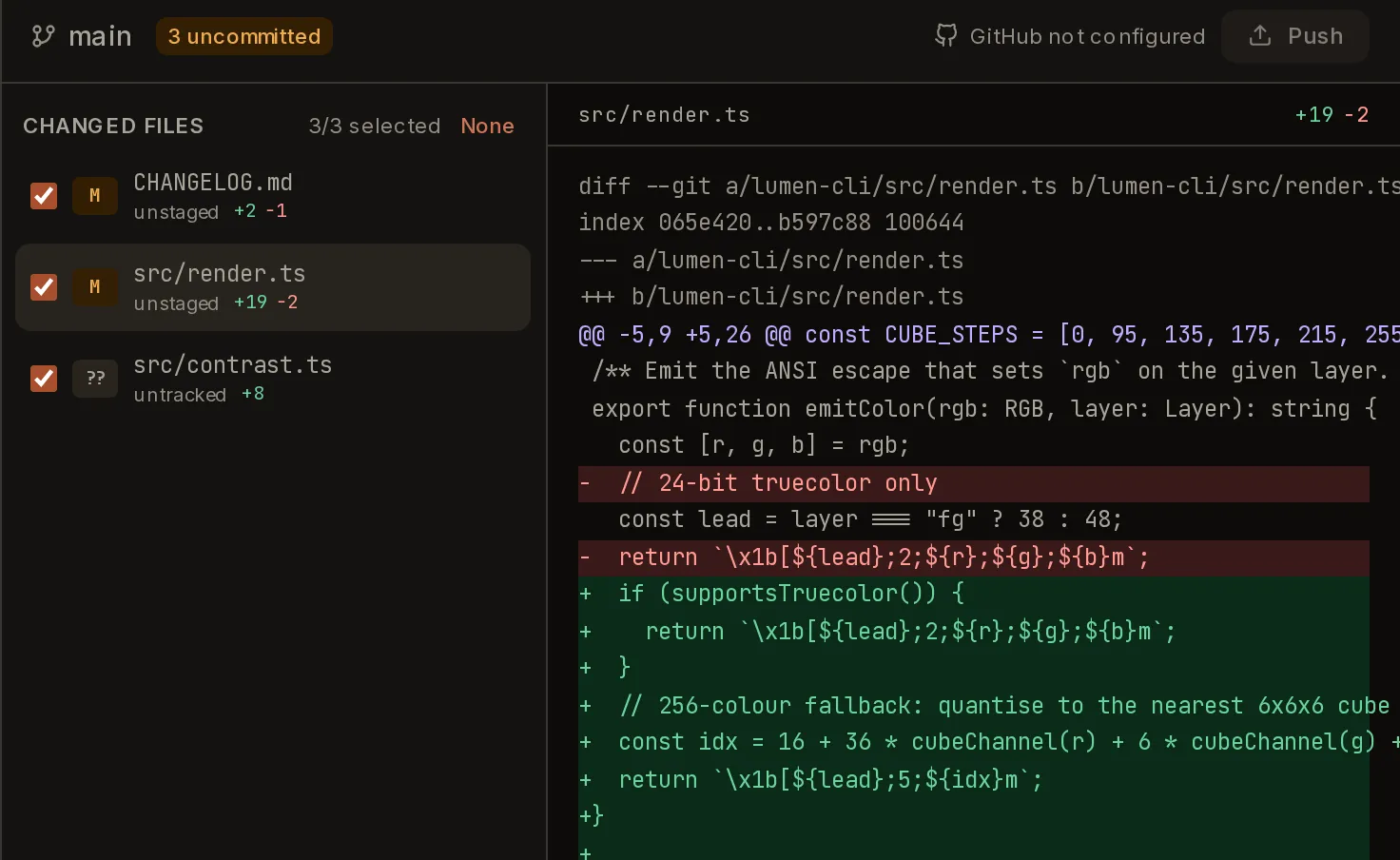
A project can be a plain directory or a clone of a repo you own. Either way the agent works on a real checkout, and the Changes tab shows you the actual diff — stage what you want, leave the rest, commit and push from the browser.
Chats open other chats — in other projects
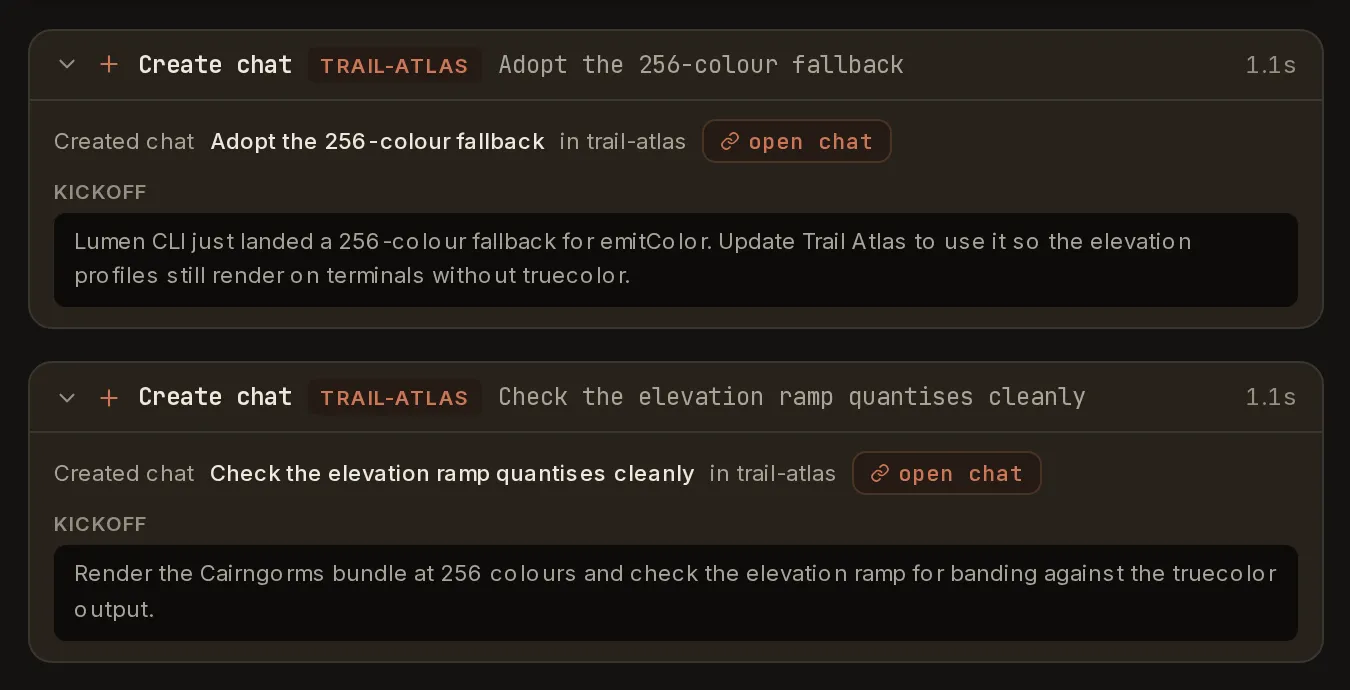
A conversation is not a dead end. Claude can open a fresh chat and hand it a kickoff prompt, in this project or a different one, and each new chat records the parent it came from. Work that belongs somewhere else goes and happens there.
It sends things back
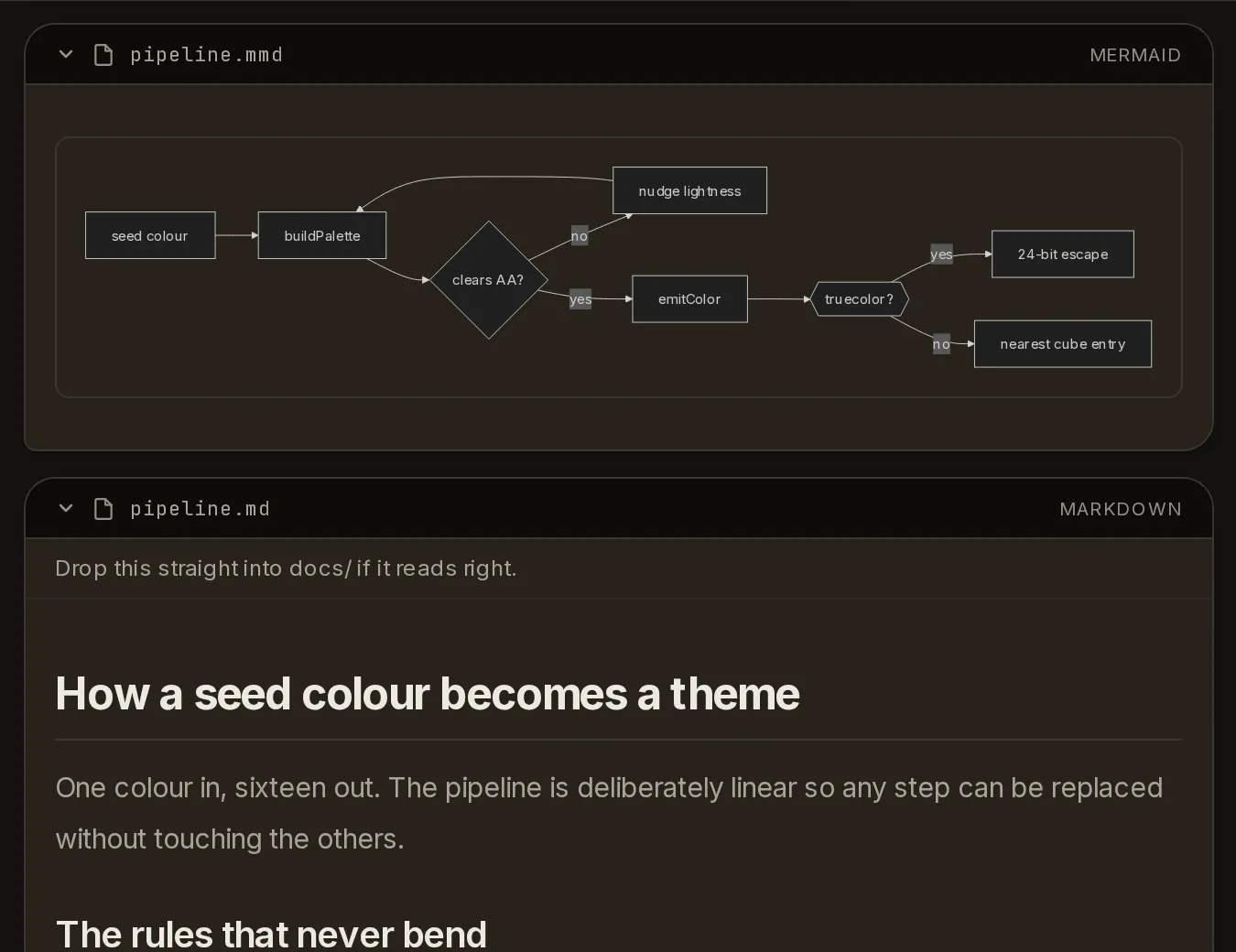
Not just text. The agent can hand you a diagram, a document, an image or a chart and it renders in the conversation where you can read it — rather than a filename you have to go and open somewhere else.
Watch the work, not just the answer
File writes, commands and nested sub-agents render as live cards as they run — current step, step counts, durations. Here one chat runs two research sub-agents in parallel and writes a haiku while they work.
Fork it, or rewind it
Sessions live on the server, so they survive reloads, reconnects and devices. Hover any message to see how old it is and how full the context window was at that point — then branch off it. Name the branch for the question it goes off to answer, and it lands under its parent with the transcript ending where you split it. Or roll this one back instead.