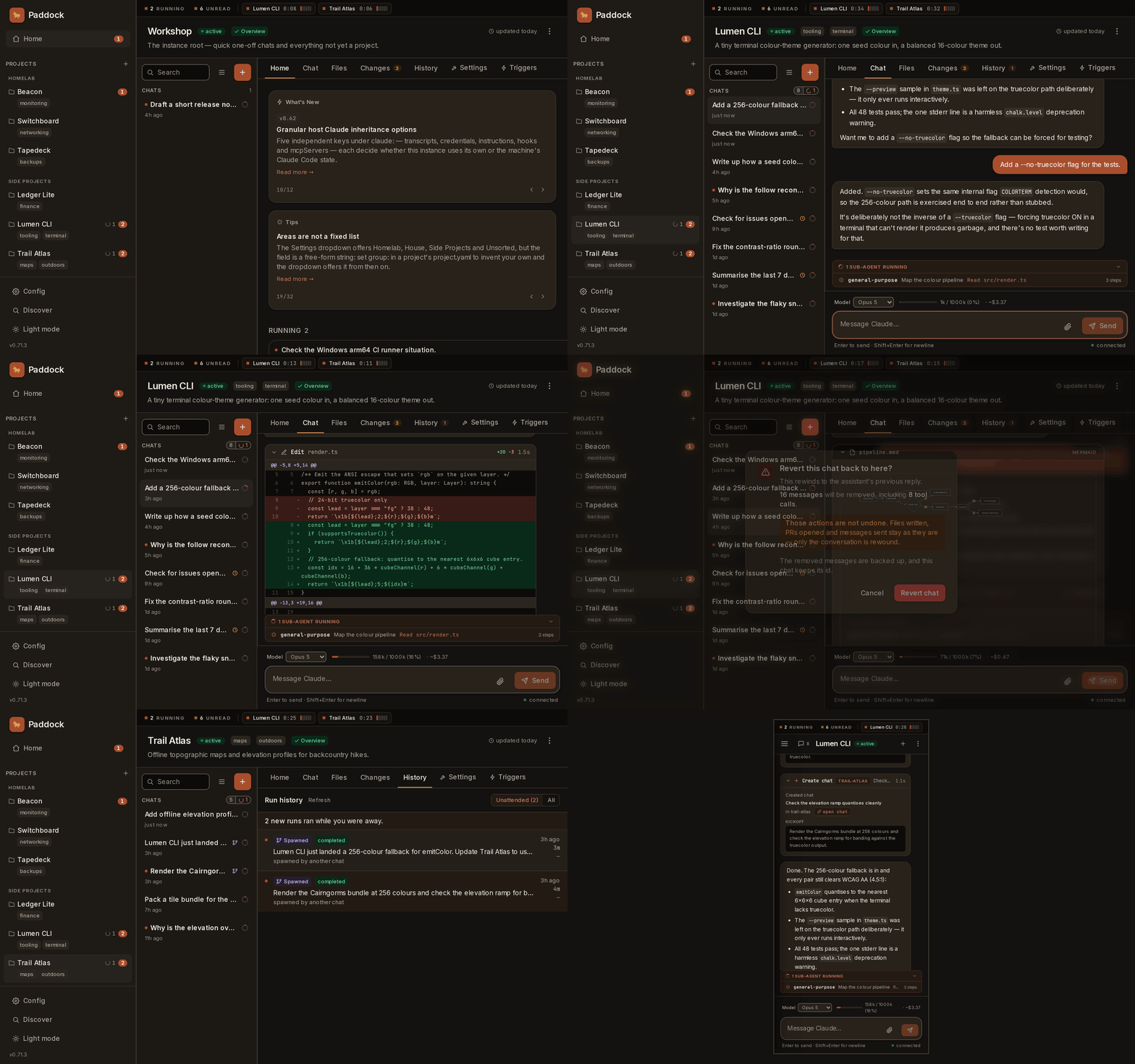
Paddock is a project-first launchpad for herdctl.
It turns Claude Code into something you run on a server and reach from a browser:
long-lived agents, one per project, whose chats persist and resume — instead of a
laptop full of terminal tabs you can’t get back to from your phone.
A project is just a directory. Paddock runs Claude Code in it — a herdctl
agent whose working directory is that project — and the chats you see in the UI
are that agent’s sessions, persisted on disk and resumable across reloads,
reconnects, and devices.
And a chat isn’t the only way work starts. Turns run on a schedule, react to
events, and can be driven by an external MCP client — so a project keeps moving
while you’re asleep, and you read the transcript in the morning.
Paddock isn’t just for software engineers. A project can be a codebase, but it
can just as easily be a research notebook, a writing desk, or a home-ops runbook —
anything you’d want a capable, always-available agent to work on. It shines when you
run it on an always-on machine and give its agents the tools they need (a scoped
GitHub token, ffmpeg, whatever your work calls for). See
Who Paddock is for.
Every project has its own agent, files, and changelog. A managed project
is one whose notes Paddock curates; an unmanaged one is code you
source-control yourself. Where the content lives is a separate question:
repo: clones a git repo as the working directory, path: uses a directory
you already have, in place. Either can be promoted to a repo later.
Persistent, resumable chats
Server-hosted sessions survive reloads, reconnects, and devices. Fork,
queue-while-streaming, stop, search, pin, and archive are built in, and a
chat that gets stuck is nudged back to work.
Real tool use, streamed live
Replies stream token by token. File writes, commands, and nested sub-agents
render as live cards as they run, with per-chat cost and a context meter you
can read at any point in the transcript. Send it files and images, too.
Work that starts itself
One triggers model covers both halves of unattended work: cron schedules
and event hooks that fire a scoped agent when something happens. Run
history shows what ran while you were away.
Yours to host
One npx command to try it on your laptop. For always-on, two official
images — a lean base and a devbox with the full coding-agent
toolbox — plus ready-made Docker, Proxmox, Kubernetes and
reverse-proxy-auth recipes. Bring your own authentication; it ships with
none.
Open at both ends
A thin project layer over the herdctl FleetManager, so anything the fleet
engine does Paddock can wire in. On the other side, a credential-gated
management API at /mcp lets an outside MCP client drive it — read-only
until you say otherwise.
A new instance opens on Discover: it reads your Claude Code history, lists the
directories you have been working in, and turns the ones you tick into projects —
with their conversations. Nothing to install, nothing to clone, and nothing written
into your directories.
How Discover works →